Your business
Driveway cleaning
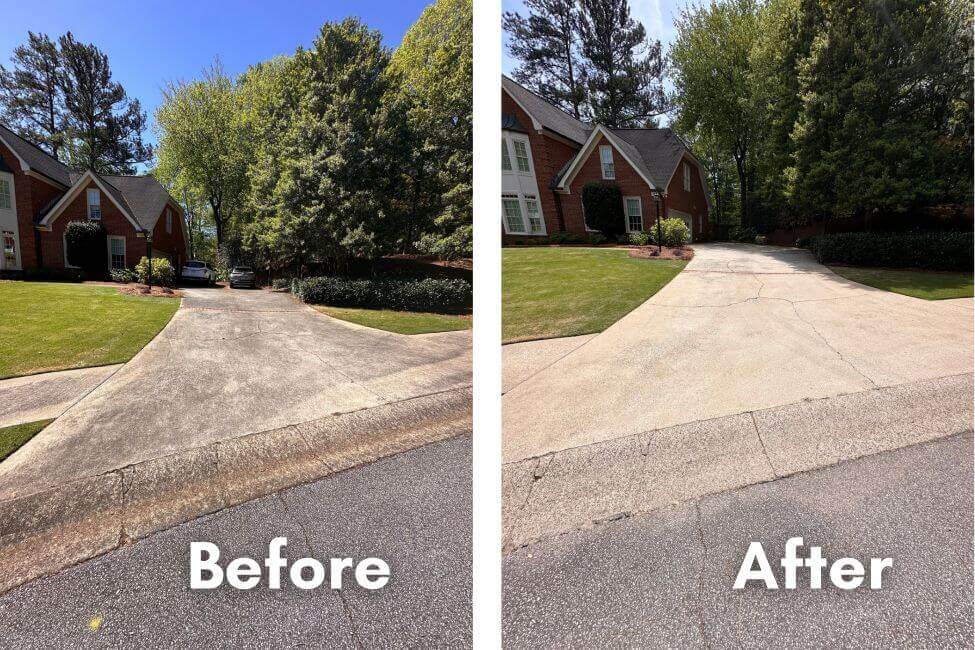
The difference, delivered.
Photos · invoice · downloadable PDF
Job photos, quotes & invoices
Keep your before-and-after photos with the job. Add a quote or invoice. Send one simple link your client can open anywhere.
Available now on Android. iOS is coming soon.
Your business
Photos · invoice · downloadable PDF
Your work and your paperwork, together.
From the first photo to the final invoice
Less sorting through your camera roll.
More time for the work you came to do.
Create a job and add photos as you go. Separate the front lawn, garden beds or driveway into areas that make sense for the work.
Add the after shots to the same job. Open photos full screen and check the details before you share.
Create a quote or invoice, choose the photos, and share its link through email, SMS, WhatsApp, Viber or another messaging app.
Working somewhere with no signal?
Capture locally. Your work syncs when you reconnect.
Made for a good handover
Your client gets one page with your business name, the work you did and the amount due. No app for them to install.
Example client page
Surface clean & rinse
Before & after
Illustrative client page. The sample PDF uses fictional billing details and contains no photos. No payment is due.
Different jobs. The same simple workflow.
A freshly cut lawn. A cleared garage. A driveway that looks new again. Keep the work organized and let the photos show the result.
Mulch beds, trimmed hedges, planting and garden cleanups.
Keep each area of the property with its Before and After photos.
Front lawns, backyards, edging and the final tidy-up.
Show the finished cut and send the invoice after the visit.
Driveways, patios, siding and outdoor surfaces.
Put the cleaned surface and the amount due in one client link.
Rooms, fences, surface preparation and finished coats.
Document the original condition and show the completed work.
Cleared garages, garden waste and end-of-job cleanups.
Keep the starting condition and cleared area together.
Fence repairs, rental-property fixes and outdoor upkeep.
Organize photos by the area or repair, then share the paperwork.
FieldProof Plus
For the owner doing it all, and the crew getting it done.
The final price and any eligible trial are shown in your app store and may vary by country. An active subscription is required after setup.
Before you get started.
No email registration is required to set up a shop or subscribe. Add an optional recovery account if you want to recover your workspace after reinstalling or use team features.
Yes. Create jobs for garden work, lawn mowing, painting, junk removal, property maintenance or cleaning. Organize Before and After photos by area, then create a quote or invoice and share a client page. FieldProof focuses on photos and documents; recurring scheduling and route planning are not included.
Once you have app access, you can capture and organize work locally. Cloud sync, creating a shared page and store purchases need a connection.
You choose the document and photos, then open a composer or share sheet. Your client receives a web link with a PDF download. Links expire after 30 days and can be revoked. Downloaded copies stay with the recipient.
You can put payment instructions on invoices — Venmo, PayPal, Zelle, Cash App or EU bank details. Clients pay through that method separately. FieldProof does not collect or confirm payment.
An active monthly subscription is required after setup. Purchases, cancellation and restore use your Apple or Google account. Restoring a purchase does not recover an anonymous workspace.
FieldProof is available now on Google Play for Android. The iOS app is under App Store review and is coming soon.
Your next job, a little simpler
Bring your photos, quotes and invoices together in FieldProof.
hello@mcode.hr